

Access your shares anywhere
Log in to your Fidelity or NetBenefits account in your browser, or use Fidelity's mobile app, where applicable.


For any questions about your registered stock account, please call 833-500-1036.
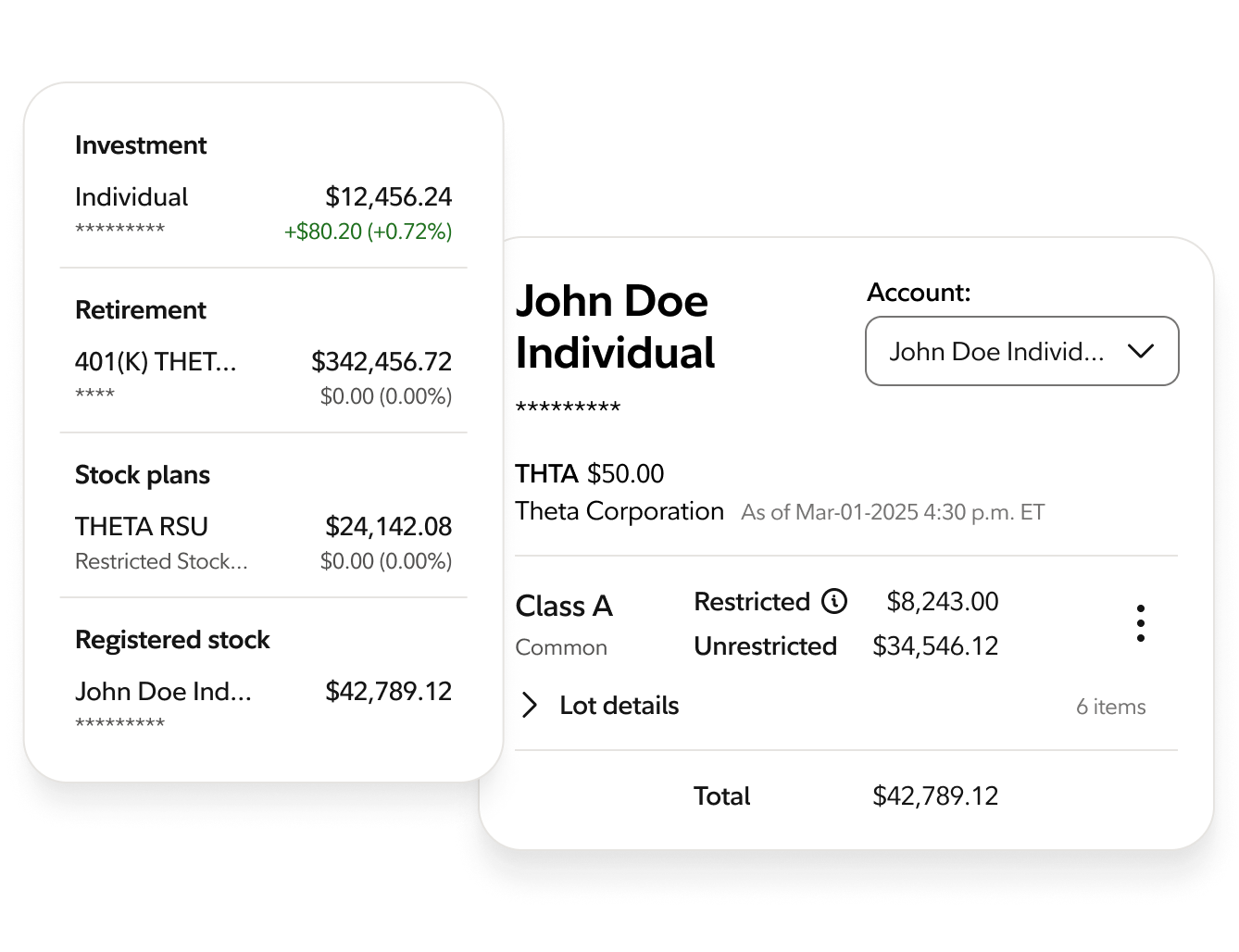
Select the Log in button when you visit Fidelity.com or NetBenefits.com, then provide your login credentials.
You’ll find SpaceX shares in the Registered stock section of your account selector.
If you don't have login credentials, please call shareholder services at (833) 500-1036.
SpaceX uses a phased lock-up schedule that allows shares to become eligible for sale in stages over the first six months after the IPO, rather than all at once. This information is based on SpaceX's Form S-1 Registration Statement and will be updated as further information becomes available.
On August 6, 2026, about 20% of eligible shares unlock, with an additional 10% if the stock meets a performance threshold. The stock must trade at or above 30% of the IPO price for at least 5 of the 10 consecutive trading days ending on, and including the First Earnings Release Date.
Five automatic releases of 7% each gradually increase the number of shares that can be sold, occurring on:
After SpaceX announces its Q3 earnings (October or November 2026), an additional 28% of its shares will become eligible for sale.
On December 8, 2026, the lock-up fully expires, and all remaining shares have their 180-day lock-up restriction removed.
If you have any questions about this schedule, please refer to the Form S-1 Registration Statement or call Fidelity Stock Transfer at (833) 500-1036.

Consider enrolling in multifactor authentication for your financial provider as soon as possible. If you are not already enrolled, consider enrolling in Fidelity's voice biometrics program.

Don’t save passwords in your web browser and when creating new passwords, make sure they are long, strong, and unique. Never reuse passwords across accounts.

Protect emails with a strong, unique password, enable multi-factor authentication (MFA), and regularly review recovery settings. Enable security alerts to monitor for suspicious login activity.

Be wary of urgent requests, payment demands, or password reset notifications from people claiming to be friends, family, or colleagues. Always verify requests through a trusted, separate channel before clicking links, sending money, or sharing information.

Consider enabling account and transaction alerts, reviewing activity regularly, and freezing your credit. These measures can significantly reduce the risk of financial theft, identity fraud, and unauthorized transactions.

Consider enabling automatic updates for your computers, mobile devices, browsers, home routers, and smart-home devices to ensure security vulnerabilities are patched quickly.